|
Q: Why we need CSV file?
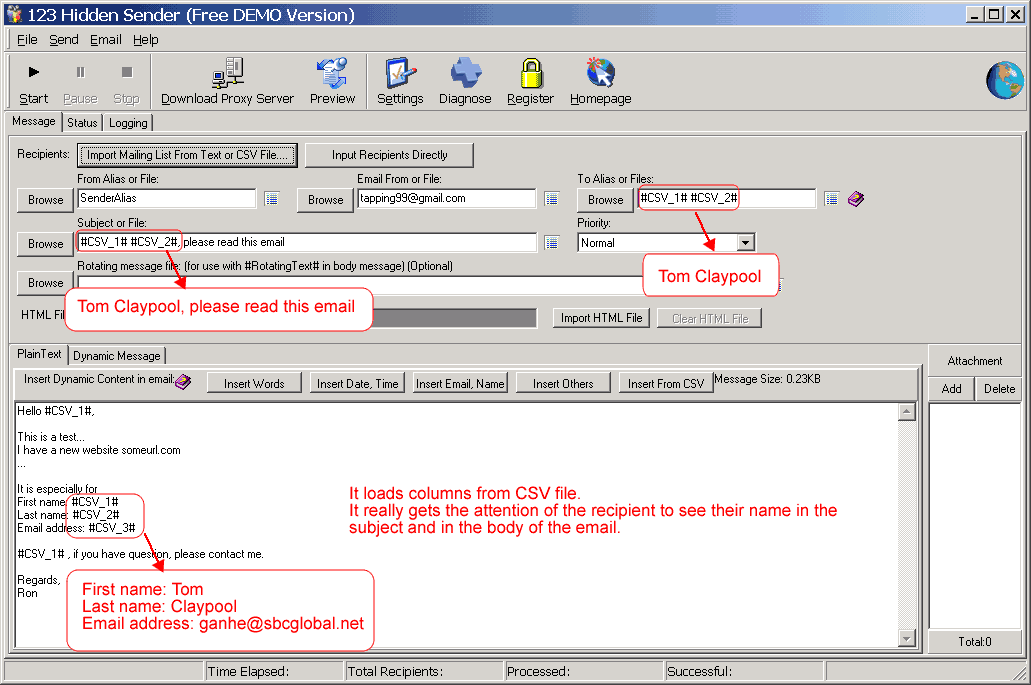
This is a great feature. It really gets the attention of the recipient to see their name in the subject and in the body of the email.
Q: How to use 123 hidden sender to send personalized messages by uploading a CSV file?
1) Click button [Import mailing list from text or CSV file.. ].
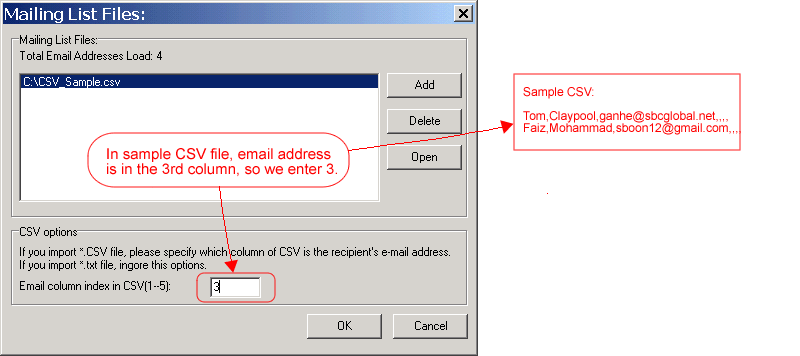
2) On the new window "Mailing List Files", click button [Add] to import a CSV file.
3) Set "CSV options".
4) Click [OK] button.
5) In the main interface, click somewhere of mail content you want to add personalized information from CSV file, and then click [Insert From CSV] to insert.
Screenshot:
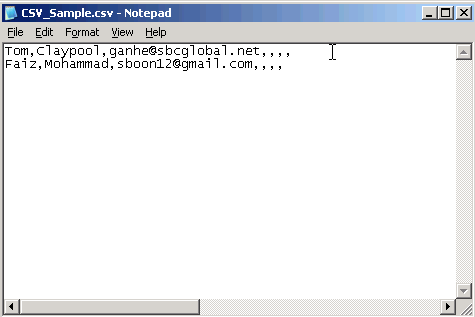
A CSV file sample:
Import CSV file in 123 Hidden Sender by clicking button [Import mailing list from text or CSV file.. ] , the following window will be shown.
In the main interface, click somewhere of mail content you want to add personalized information from CSV file, and then click [Insert From CSV] to insert information from CSV .
|






 Privacy Policy

.jpg)

